
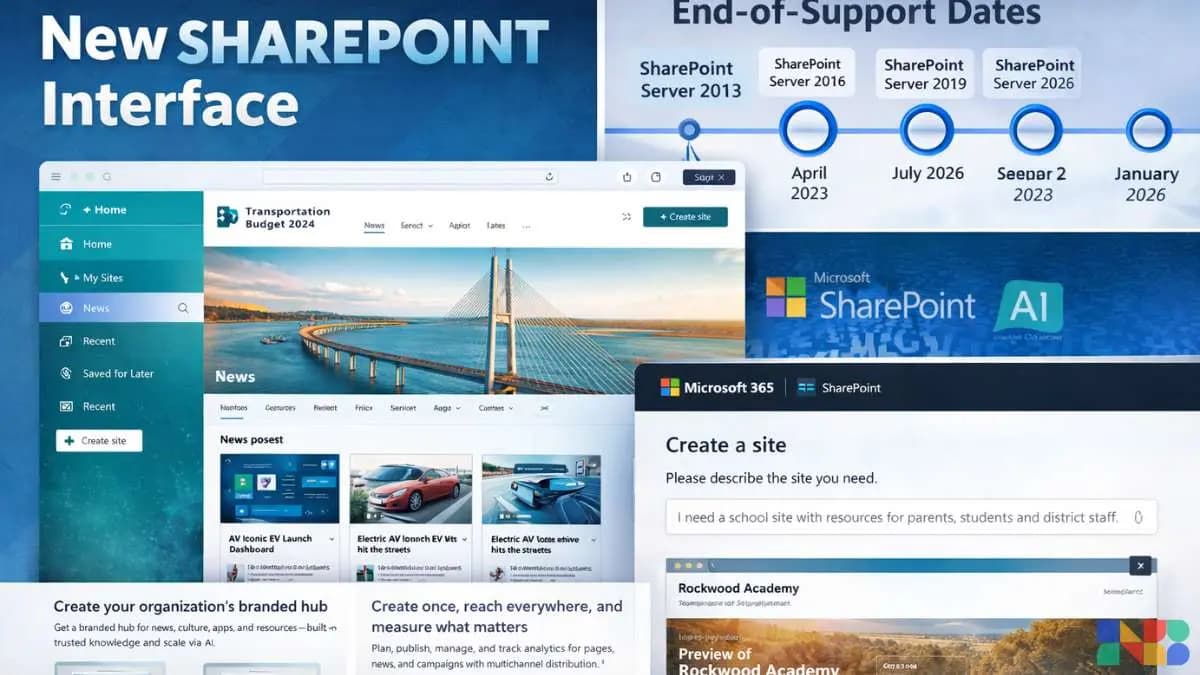
Microsoft SharePoint has been the backbone of enterprise collaboration for a quarter century. It launched in 2001, spent years being the platform everyone complained about but could not replace, and has quietly become the connective tissue of millions of organisations worldwide. This year, Microsoft is doing something it has not done in a very long time: fundamentally rethinking what SharePoint looks and feels like.
The changes announced and rolling out through 2026 go well beyond cosmetic. Microsoft's own announcement describes it as "a reimagined SharePoint experience — designed to be simple and intuitive, centered on the core jobs of discovering knowledge, publishing content, and building solutions." The update establishes "the foundation for AI-assisted creation across the product" with an "updated information architecture and cohesive design language."
In plain language: SharePoint is getting a cleaner interface, a new structure, and AI baked into it at the platform level. The rollout is happening in April 2026 for general availability, with specific AI-powered features requiring a Microsoft 365 Copilot licence.
The New SharePoint Experience
March 2026 brought a new visual experience with a cleaner structure, redesigned app bar, and new Copilot-assisted capabilities for those licensed for it.
The two headline features of the new SharePoint are:
AI in SharePoint (formerly the SharePoint Knowledge Agent) is now in public preview. It introduces an AI-powered site creation experience available by April 2026. The service uses Anthropic models for advanced capabilities — EU and UK tenants must explicitly enable Anthropic as a sub-processor in the Microsoft Admin Center to continue using the full preview. This is a notable detail: Microsoft is not using exclusively its own Copilot/Azure OpenAI stack here. The integration of Anthropic models for certain SharePoint AI tasks reflects the growing multi-model approach major enterprise platforms are taking.
Microsoft Lists as an agent knowledge source: Microsoft Lists is now a first-class knowledge source for custom agents in SharePoint and OneDrive. This is significant for organisations that use Lists for project tracking, asset registers, and structured data. It means those Lists can now directly inform AI-powered assistants without additional configuration.
New Page Templates: SharePoint is adding 31 new page templates with improved browsing, filtering, and search. Entry points are expanded across site settings, site contents, onboarding, and the Stream app. This feature rolls out through March-April 2026.
Sharing Improvements: A third-generation sharing experience is rolling out from April that introduces a "hero link" — a single powerful link that controls access to files, replacing the current fragmented sharing model that confuses users at every level of an organisation.
The SharePoint Framework (SPFx) 1.23, which powers developer extensions and custom components, reached general availability on April 15, 2026 — with the release focused on stability, security, and AI-aligned extensibility.
The End-of-Support Crisis: What SharePoint 2016/2019 Users Must Do Now
This is the part that many IT teams have been quietly avoiding. Microsoft has confirmed two critical timelines: Classic SharePoint add-ins and workflows were retired on April 2, 2026. SharePoint Server 2016 and 2019 will reach end of support on July 14, 2026.
End of support does not mean the software stops working. It means Microsoft stops issuing security patches, bug fixes, and technical support for those versions. In practice, running SharePoint Server 2016 or 2019 past July 14, 2026 means your organisation accepts all security risk from that point onward — with no safety net.
For large organisations with heavily customised SharePoint environments — and there are many in India and globally — this is not a small problem. Migrating years of documents, workflows, permissions structures, and custom integrations to SharePoint Online or SharePoint Server Subscription Edition takes months of planning and execution.
The add-in and classic workflow retirement that already happened on April 2 is the immediate pain point. If your organisation has approval workflows, routing processes, or automation built on classic SharePoint workflows, those may now be broken. The advice is to identify which workflows supported finance, HR, permitting, records, or service delivery — and treat those as urgent priorities for migration to Power Automate.
The Retirement of Standalone Plans
Buried in Microsoft's announcements is another structural change that affects smaller organisations. Microsoft is retiring standalone SharePoint Online Plan 1 and Plan 2, and OneDrive for Business Plan 1 and Plan 2 SKUs. The company cited low customer demand, increased instances of nonstandard usage, and higher operational costs. Service will continue until December 2029, giving organisations time to transition.
The guidance is to migrate to Microsoft 365 Business or E3/E5 suites instead. This effectively means organisations that subscribed to SharePoint standalone — often smaller companies that did not need the full Office/Microsoft 365 suite — will now need to pay for bundle pricing.
What Enterprises Need to Do in April 2026
For those running SharePoint Server 2016 or 2019:
- Conduct an immediate audit of active SharePoint sites and identify which support critical business processes
- Map all classic workflows — particularly those in finance, HR, and compliance — and assess migration urgency to Power Automate
- Begin the migration planning process now. July 14 is less than three months away.
- For those on SharePoint Online and Microsoft 365:
- Enable the new SharePoint experience in the admin centre (it is rolling out as default, but some tenant configurations may require manual activation)
- If your organisation has a Microsoft 365 Copilot licence, explore AI in SharePoint — the AI-powered site creation and Lists-to-agent integration are production-ready
- Review external sharing settings: SharePoint One-Time Passcode authentication is being retired by August 2026, requiring transition to Microsoft Entra B2B guest accounts
The 25-Year Milestone in Context
SharePoint turned 25 years old on March 2, 2026. Microsoft marked the milestone with a company-wide SharePoint 2026 Hackathon running from March 2-16, with 125 submissions from customers and partners globally.
That the 25th anniversary coincides with the most significant platform overhaul in the product's modern history is fitting. SharePoint's reputation — complicated, powerful, often frustrating — is the result of 25 years of accumulated features, legacy compatibility requirements, and enterprise-scale complexity. The new experience attempts to cut through that.
Whether it succeeds depends on execution. Microsoft has promised a "cohesive design language" and "updated information architecture" before. The AI integration, if it delivers on the promise of intelligent site creation and document discovery, could genuinely make SharePoint the platform it was always supposed to be. The test will come in the coming months as organisations move from the preview to full adoption.
